Your AI tools and dev tools stop fighting over memory.
ContextWarden automatically freezes local AI models when you start a build — and resumes them the moment it finishes. No configuration. No manual switching.
Free version monitors. Pro automates. Download Pro 14-Day Free Trial (DMG)
Apple Silicon unified memory means your LLM and your build tools share the same pool.
Slow builds
Ollama holding 22GB while Xcode builds. Your compile has 4GB headroom instead of 40GB. Every build takes 40% longer.
Memory pressure
Memory goes critical mid-training. Python script slows to a crawl. You manually kill processes and start over.
Constant context switching
Pause Ollama. Build. Resume Ollama. Repeat 8 times a day. Every manual switch breaks your flow.
ContextWarden watches both sides. Acts automatically.
Detects your build
The moment xcodebuild, cargo, webpack, or any build tool starts — ContextWarden knows.
Freezes AI models instantly
Ollama, LM Studio, PyTorch — paused with a POSIX signal. Weights stay in memory. State preserved. Zero reload time.
Resumes when done
Build completes. Every frozen process resumes automatically. Your AI tools are ready before you've read the build log.
All of this happens silently. You just build.
Everything you need. Nothing you don't.
Universal AI Monitor
Detects Ollama, LM Studio, Jan, GPT4All, PyTorch, MLX, and more. All tools. One view.
Memory Split Visualization
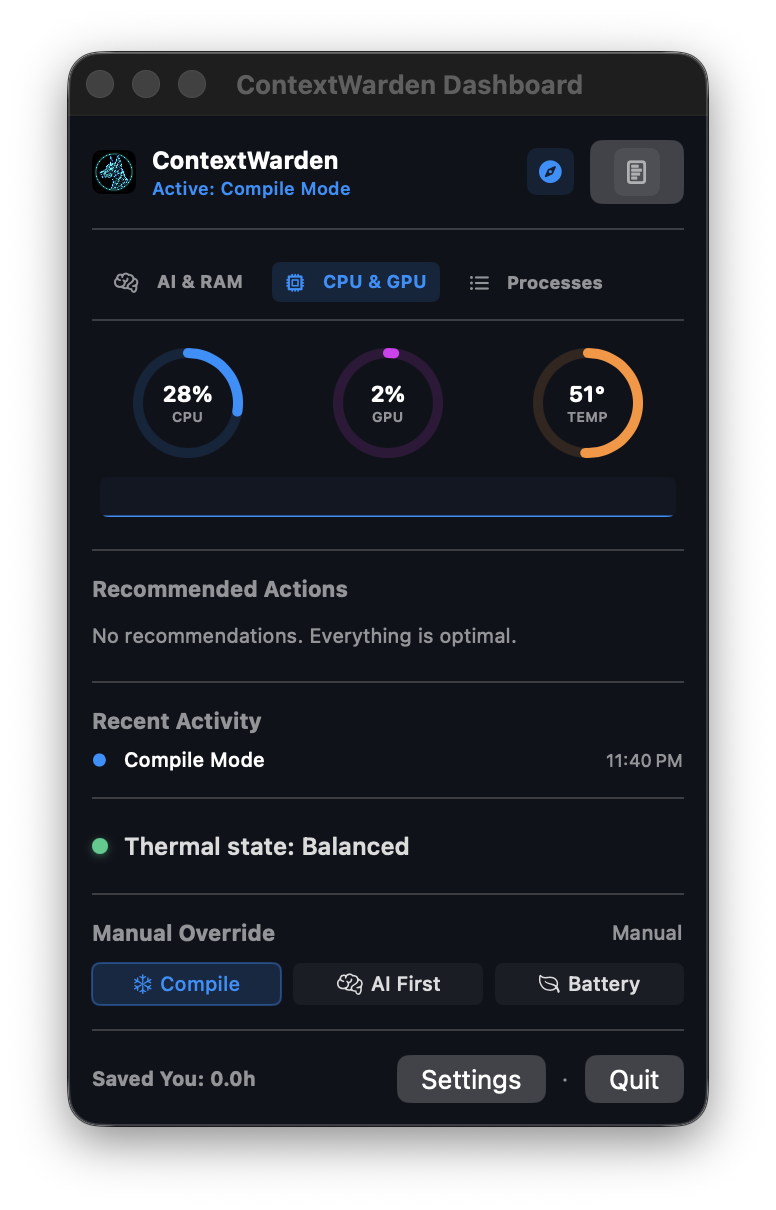
See exactly which AI model is using how much of your unified memory. In real time.
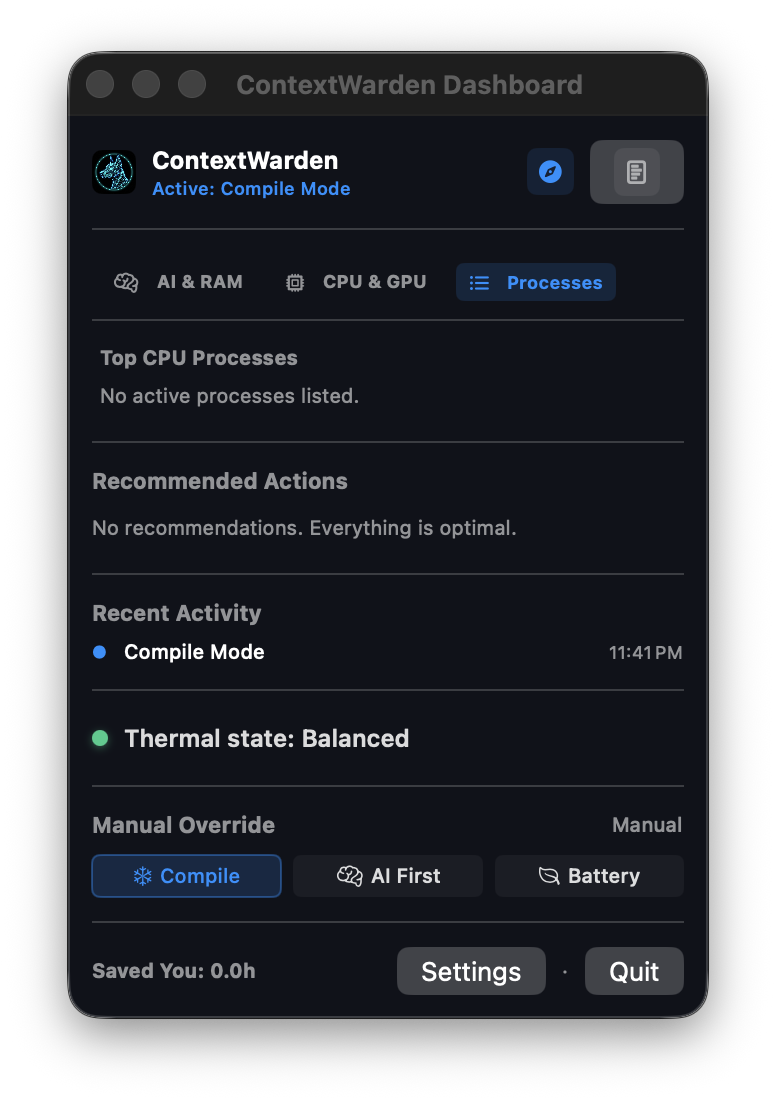
Automatic Persona Switching
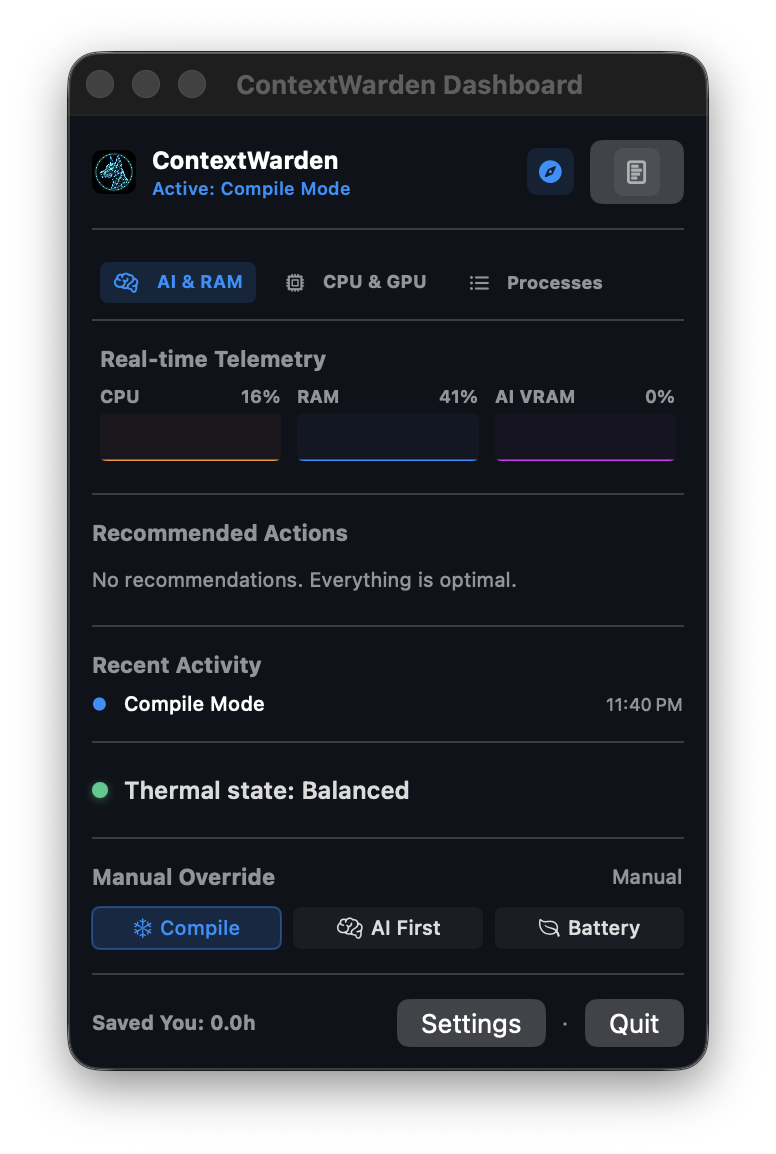
Compile Mode, AI First Mode, Battery Mode. Switch automatically based on what you're doing.
Intelligent Process Freezing
SIGSTOP preserves model weights in memory. Resume in milliseconds. No reload. No wait.
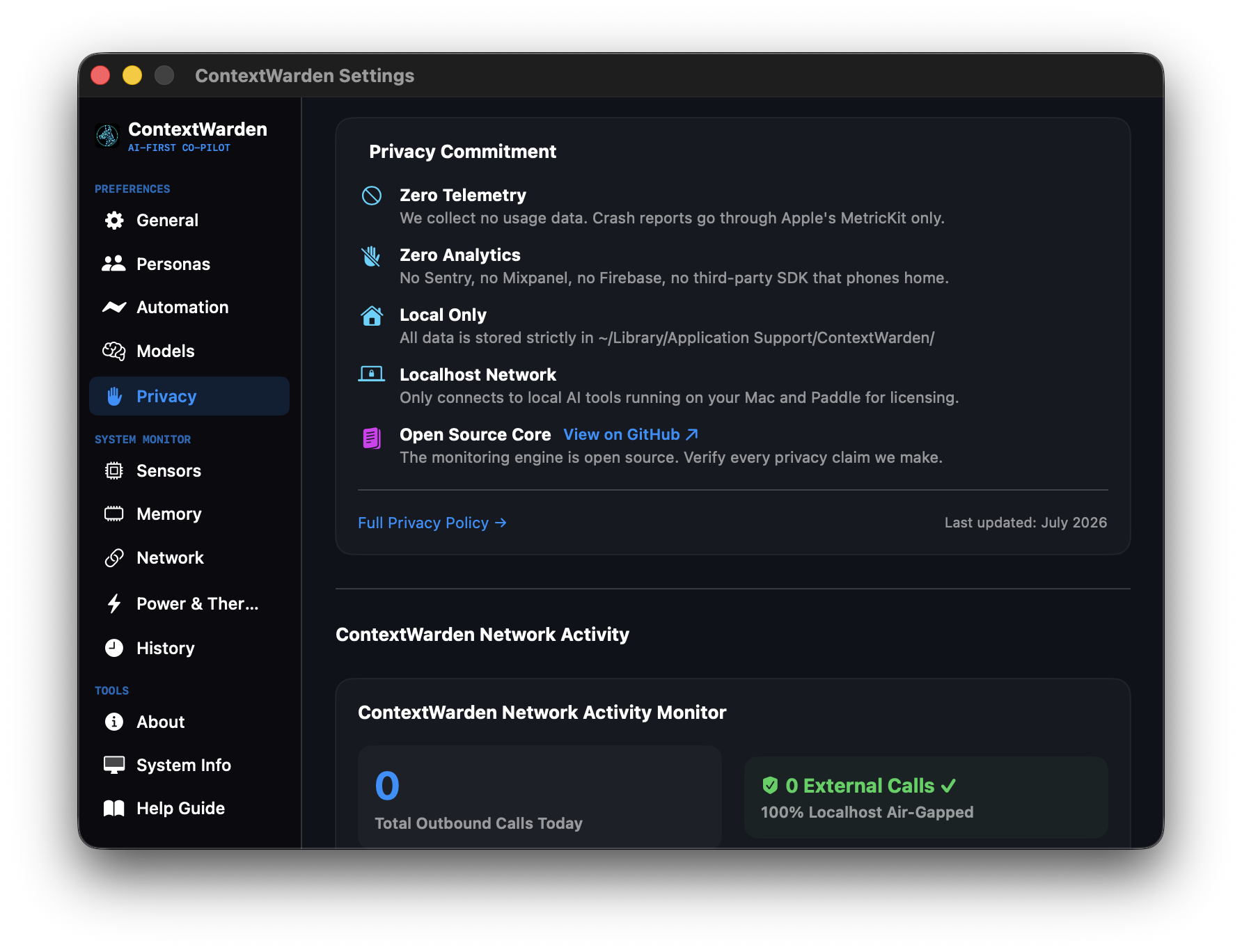
Privacy Network Monitor
See every outbound connection your AI tools make. Block unexpected calls. Verify they're behaving.
Model Advisor
Get personalized model recommendations based on your Mac's memory, chip, and workflow.
Unsure which edition fits your setup?
Standard (Free) provides complete native telemetry and insights. Pro adds zero-configuration local LLM automation.
Compare Plan Features & PricingSee the AI Features in Action
Explore how ContextWarden Pro automates and secures your local developer environment.
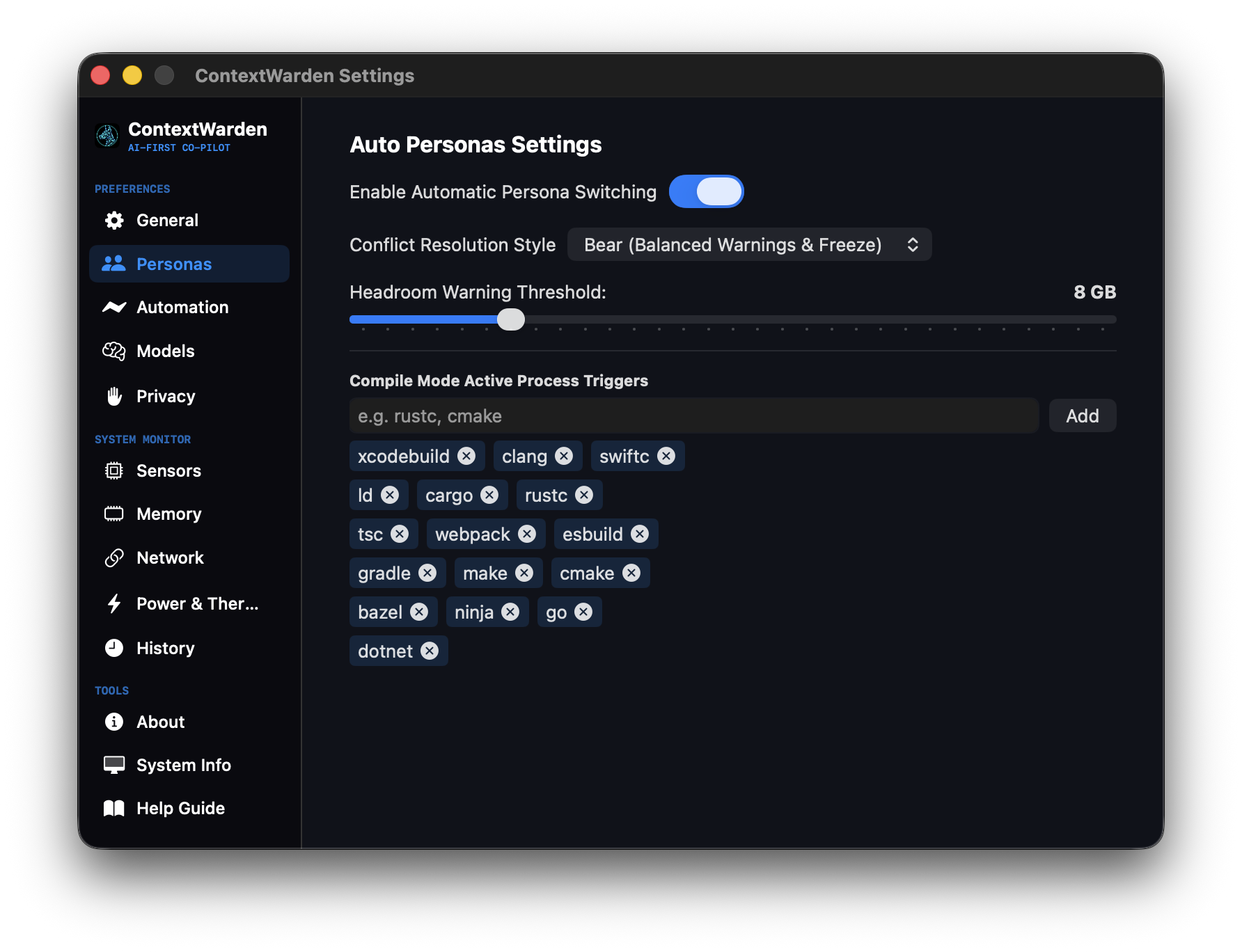
Intelligent Active Personas
Throttles, suspends, or prioritizes processes based on your active Persona. Seamlessly shifts between Compile Mode (unleashing full CPU cores for compilers) and AI-First Mode (reserving memory bus bandwidth for LLM generation).
- Freezes background Docker & Python tools
- Auto-releases RAM and reduces thermal throttling
- Maximizes compiler cache efficiency
Local AI Models Inventory
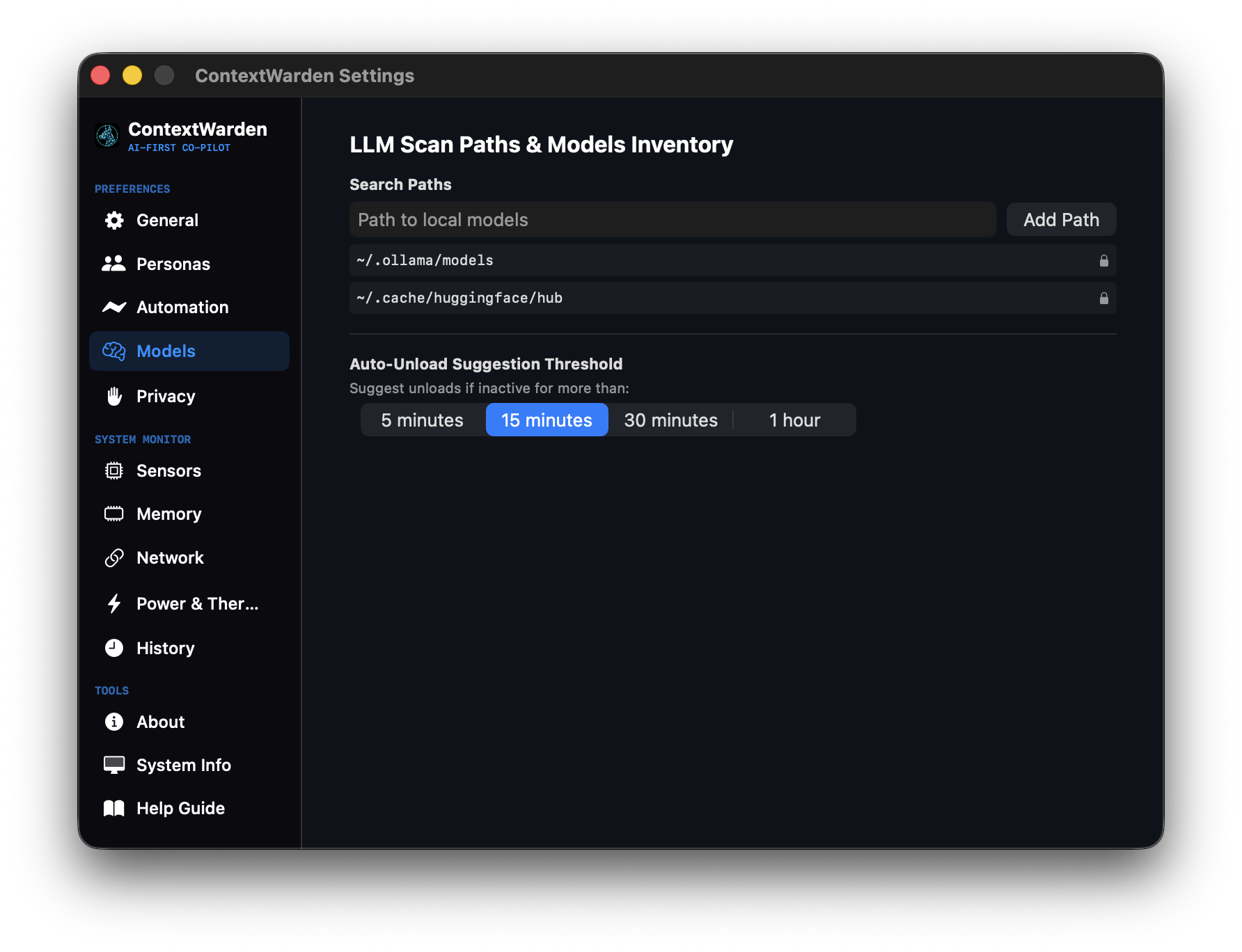
Scans your filesystem to automatically map all local LLM weights (Ollama, LM Studio, Hugging Face cache). Recommends optimal configuration parameters based on your Apple Silicon SoC generation and unified memory constraints.
- Displays active VRAM footprint per model
- Calculates precise token-generation latency limits
- Single-click load/unload controls
Outbound Network Auditor
Audits every network socket connection requested by local AI executables and third-party extensions. Proactively blocks unauthorized outbound telemetry and cloud calls, ensuring your data never leaves your machine.
- Real-time socket origin tracing
- Enforces customizable local firewalls
- Secure logging with no telemetry collection
Ready for the Future?
Download ContextWarden today and experience the most advanced system monitor ever built for macOS.
Download for macOSCompatible with macOS
13.0+ (Ventura, Sonoma, Sequoia)
Native for M1, M2, M3, M4 chips.